
menu
close
Designers 2018 "Sketch is forever" ... Designers now "I don't want to play with you anymore (as we hold on tight to Figma)"
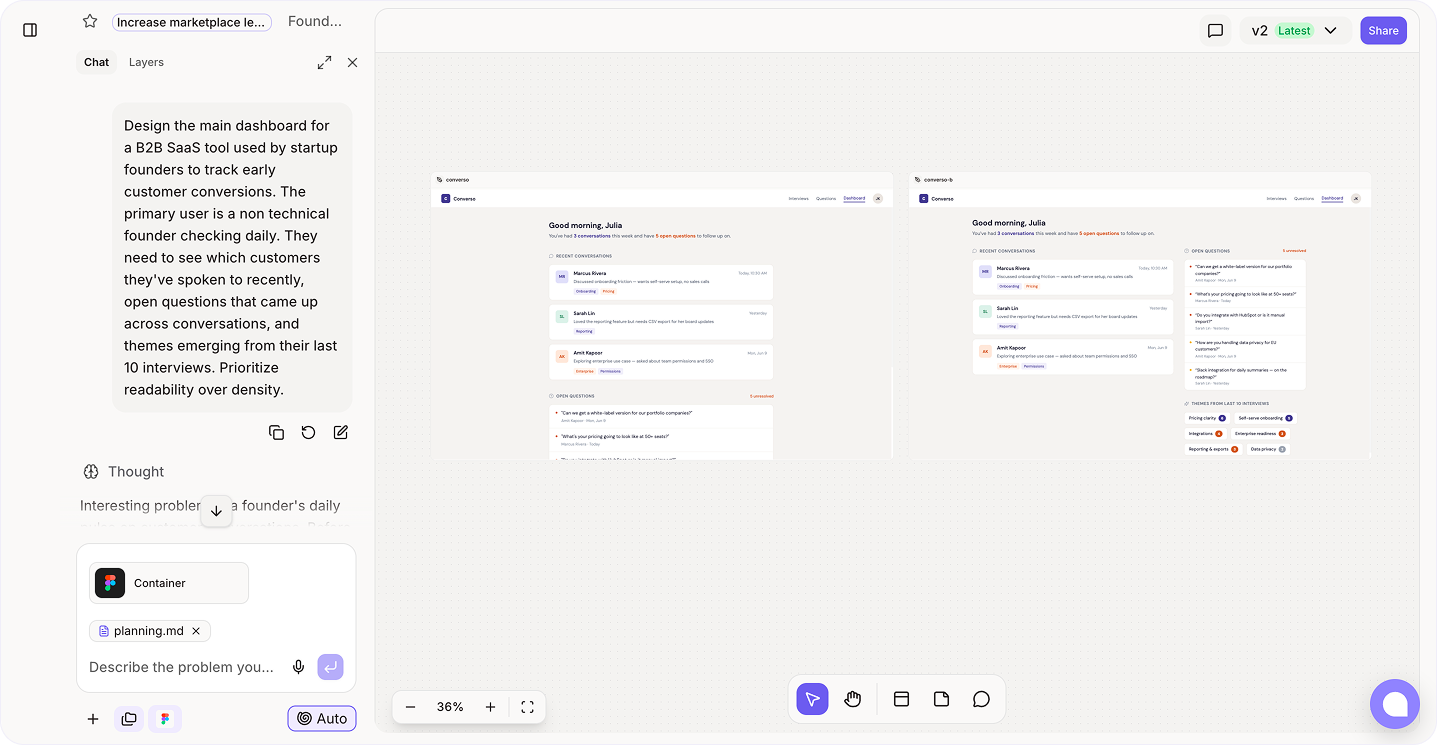
After experimenting with with AI generated wireframes in Figr, I think the design workflow is changing faster than teams realize (I am not paid to promote).
I ran some structured experiments with Figr Design the new AI assisted design tool. There is real value, some limitations, and a few unexpected workflow changes.
Here’s my thoughts on what help up, hopefully with enough detail to add value for you. I split this into 2 sections, feel free to skip depending on your role, jump to what applies to you.
Don’t worry… I don’t think AI is going to take our jobs BUT it will change what our job is going to look like (the time to up-skill is now).
Figr.design is great at producing AI generated structured wireframes that work as reasonable starting points. I did struggled with some internal workflows and edge cases that are specific to my company. It was the last 20–30% of the design work, the part that makes the interface great, that is still VERY much human territory.
What changes is where you spend your time. Instead of grinding through 1st drafts, you spend more time editing, refining, and making product decisions. For most designers, this is probably a better use of skills, not a threat to them.
The risk is not being replaced, the risk is being out paced by designers who learn to use these tools well.
Here’s the workflow that emerged after experimenting across several product features:
The biggest variable in output quality is how you describe the problem. Vague prompts will return generic wireframes, specific prompts return useful ones.
Weak prompt example:
Design a dashboard for a SaaS tool
Strong prompt example:
Design the main dashboard for a B2B SaaS tool used by startup founders to track early customer conversions. The primary user is a non technical founder checking daily. They need to see which customers they’ve spoken to recently, open questions that came up across conversations, and themes emerging from their last 10 interviews. Prioritize readability over density.
Strong use cases:
Weak use cases:
I procrastinated on finishing this post for 3 weeks… One thing I didn’t expect is how fast the broader ecosystem is evolving along side tools like Figr.
Claude code for enterprise has made huge leaps. The gaps between idea > wireframe > working product are shrinking quickly.
We’re moving toward a workflow where:
That loop used to take days (or weeks). Now it’s starting to happen in hours. With Claude to Figma integration, I can make design tweaks and send production ready code to engg to review, then push that code back to Figma (which for now will remain the source of truth).